

Using Graduated Neutral Density Filters
Many times, typically around sunrise and sunset, the range of light in a scene is beyond the ability for our camera's digital sensors (or film, if you're still using it) to record. That's where the Graduated Neutral Density (GND) Filter comes in to play. It's a rectangular piece of glass or optical resin that is clear at one end and dark at the other. With it you can make parts of scene darker. They come in different strengths as well as differing transitions between the clear and the dark.
The way you use it is that you place it over the lens so that the dark area covers the bright part of the scene with the transition zone providing a natural graduation between dark and clear.
Of course these days, you could take two or more pictures at different exposures and blend them in the computer. Or you can take one RAW capture and process it twice and then blend the two results. These are all legitimate ways to capture light that's impossible to get with one shot.
I often prefer to still use the old school method of the GND filter as I can capture, in one shot, the entire range of light in a scene. I can then further refine the image in Lightroom or Photoshop if needed, but I'll be starting with the best image possible. This not only saves some time at the computer, but it gives me the enjoyment of problem solving and capturing an essentially finished image in the field. Why, in the olden (film) days, this is the way it was done.
For a more detailed explanation of how to choose and use GND filters, read my article in the Articles section of this site.
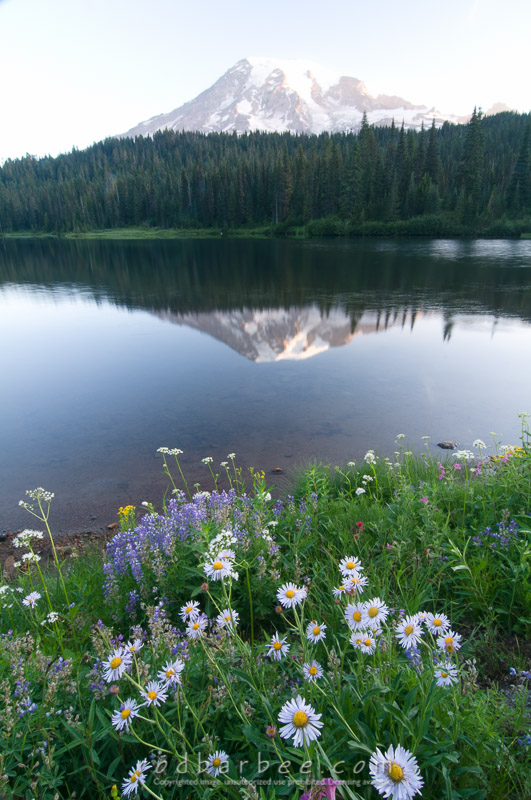
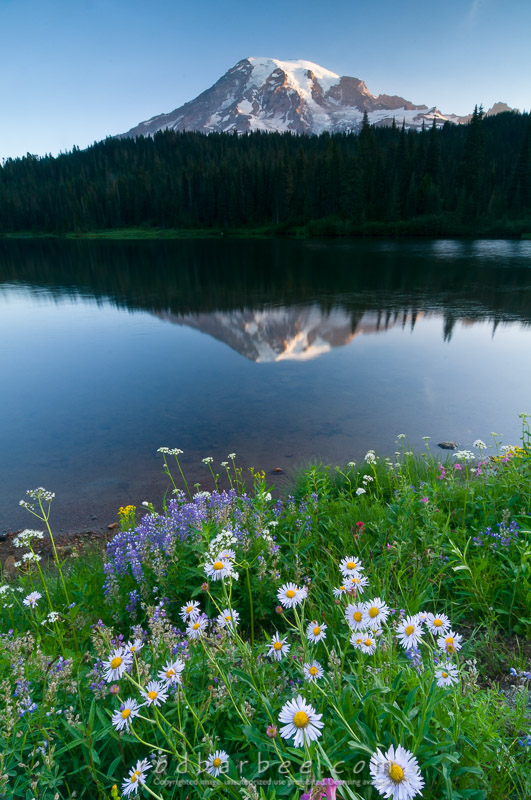
Mt Rainier and Reflection Lake.